Less time spent configuring and testing workflows
05 / Simplifai · Flow Builder / 2020 to 2023
Automation people
can reason about.
Connecting bots, business rules and human judgment in a visual workflow.
- My role
- UI/UX Designer
- My contribution
- Workflows, interaction models, UI specifications and shared components.
- Project context
- Professional experience · Reconstructed examples
The design challenge
Bringing human review into the workflow.
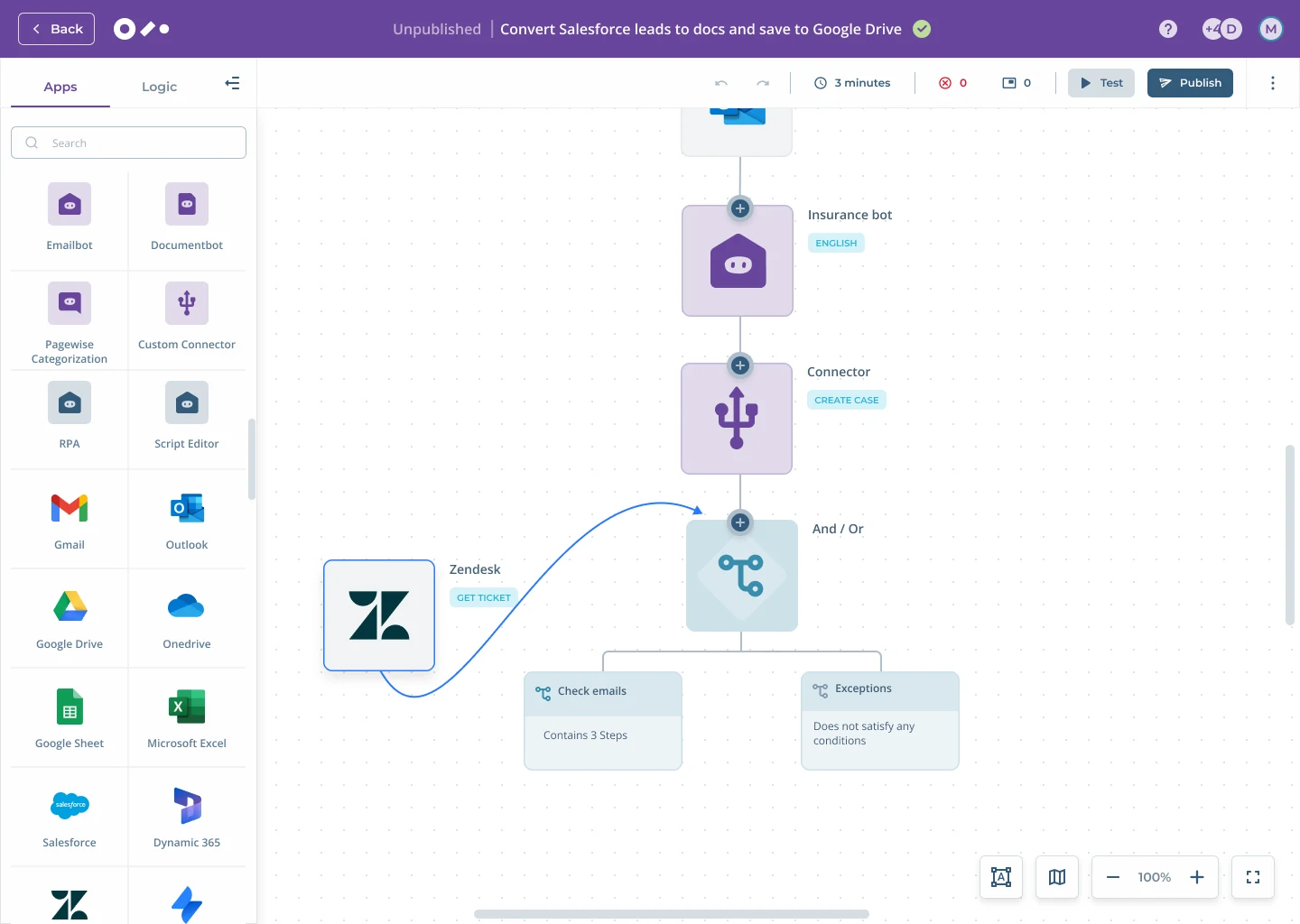
At Simplifai, I worked on Studio experiences spanning Emailbot, Documentbot, Chatbot and Flow Builder. My role included workflows, interaction models, UI specifications and the shared design language.
A connected automation needs to explain more than the order of its steps. People also need to understand the conditions, the handoffs and the point where a business decision requires review.
The logic, made visible
Follow the exception.
Understand the rule.
The product begins with a scannable library, then moves into the canvas where building and review happen in the same context.
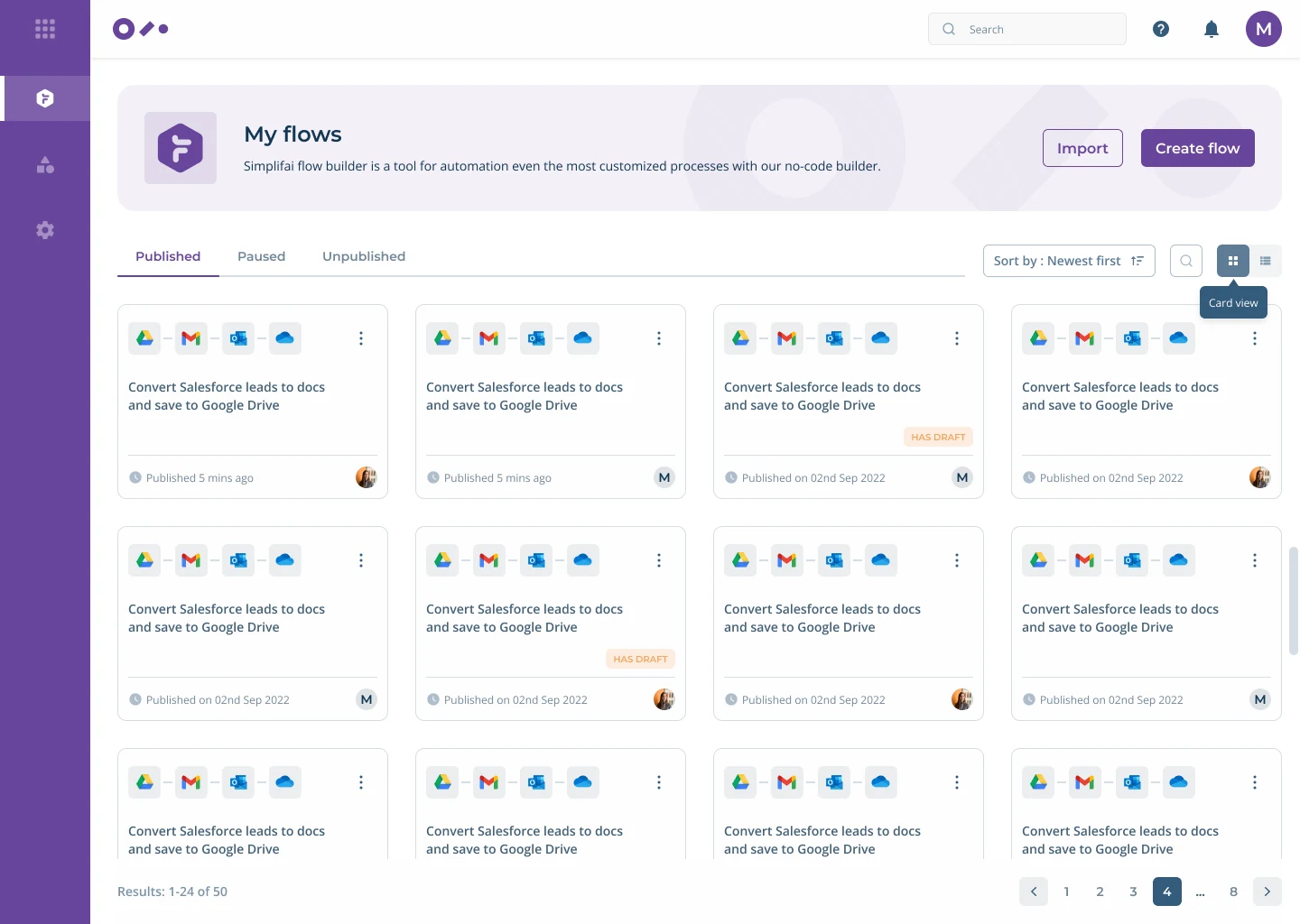
Build and review
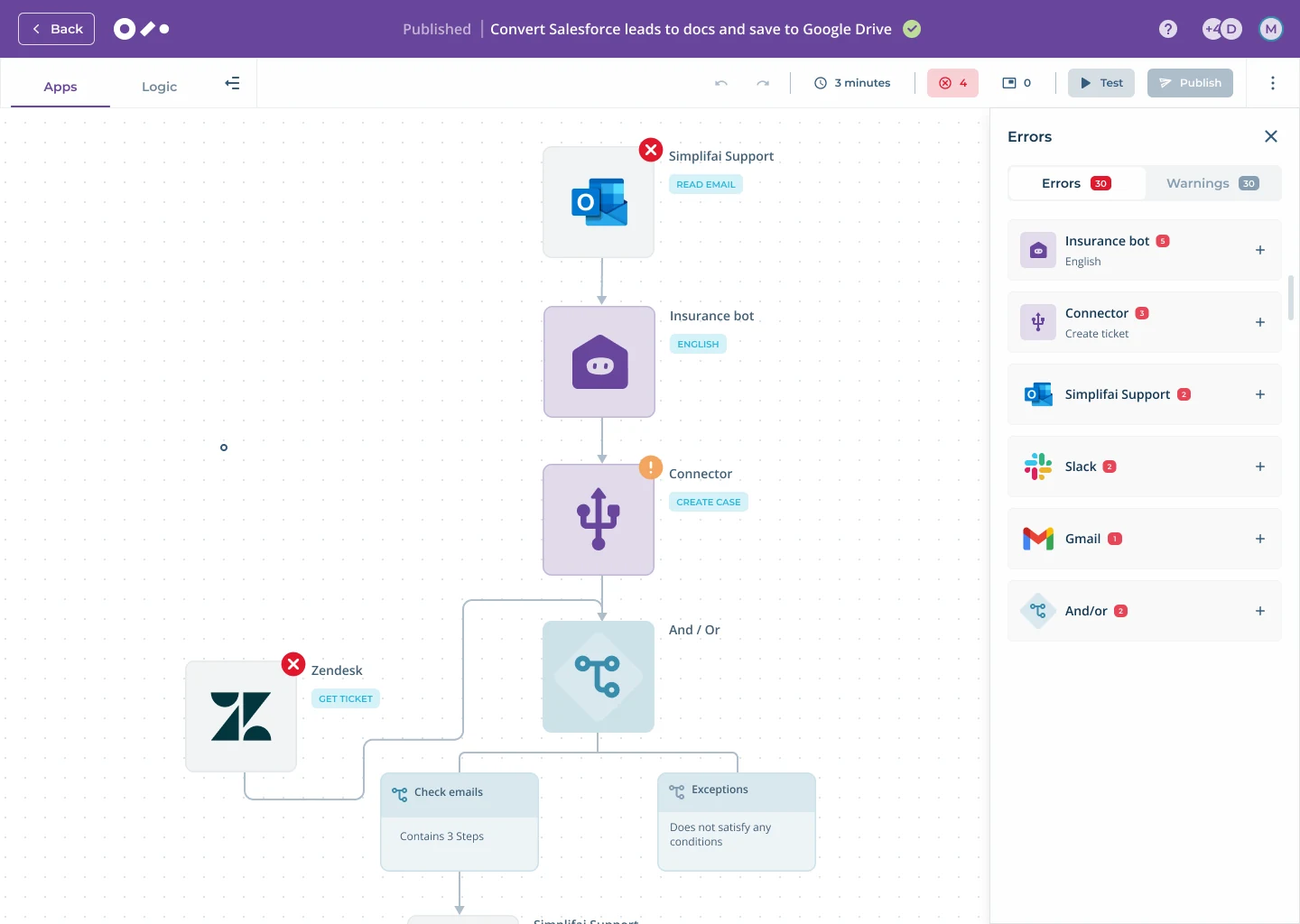
Keep the whole flow visible while attention moves to the exception.
The canvas remains the source of context. Errors appear beside it, so people can identify the affected step without reconstructing the automation in their head.
A closer look
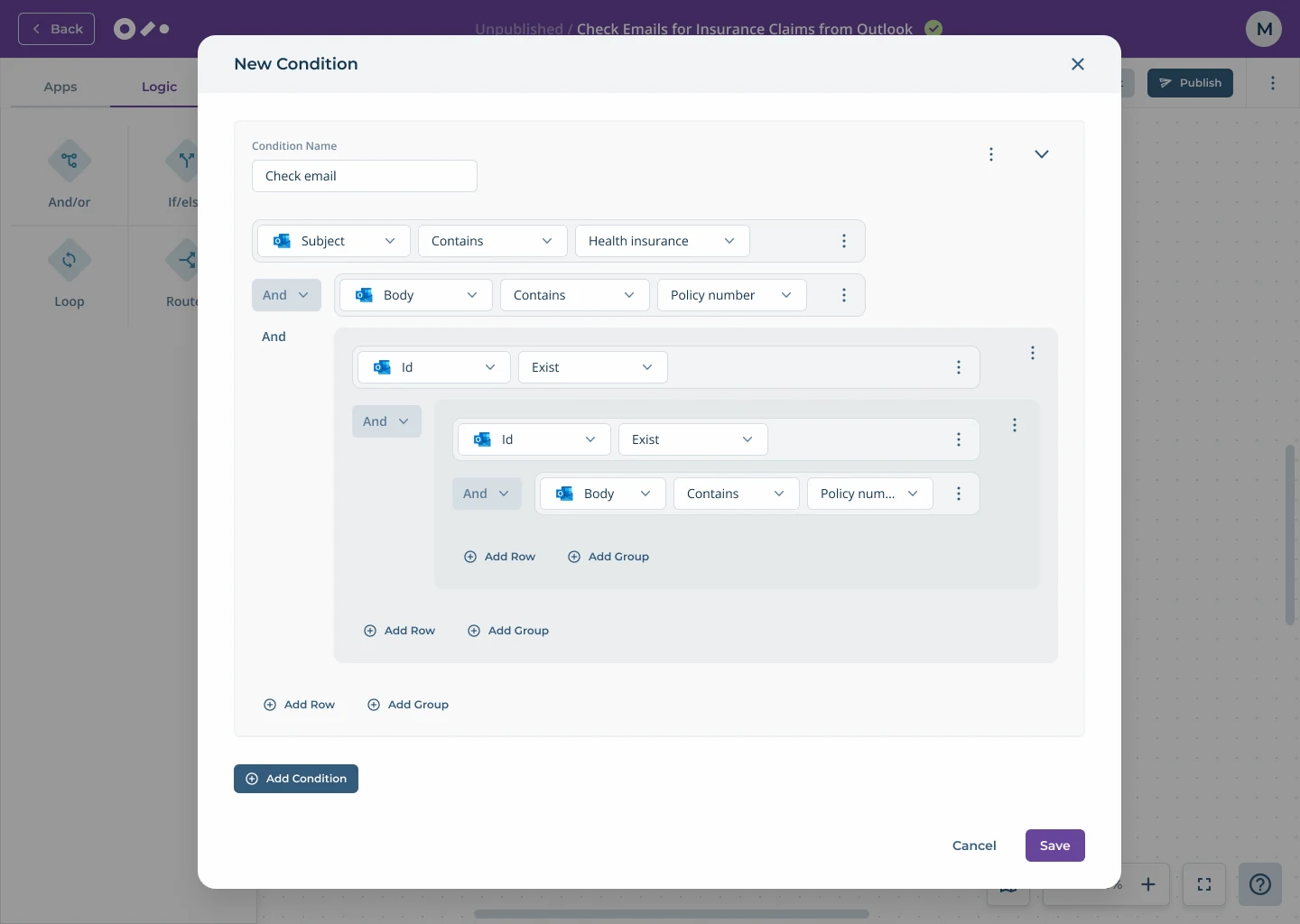
Complex logic, edited as one readable sentence.
The condition builder keeps nested groups, operators and values visible at the same time. The surrounding canvas is dimmed, preserving context without competing with the task.
- 01
Name the intention
A step name helps someone follow the business process, not just the technical sequence.
- 02
Keep context close
Configuration opens over the canvas so the wider automation is never lost.
- 03
Make branches inspectable
Visible conditions make it possible to understand why a request reaches a particular action.
Connections and control
Turn integrations into understandable product moments.
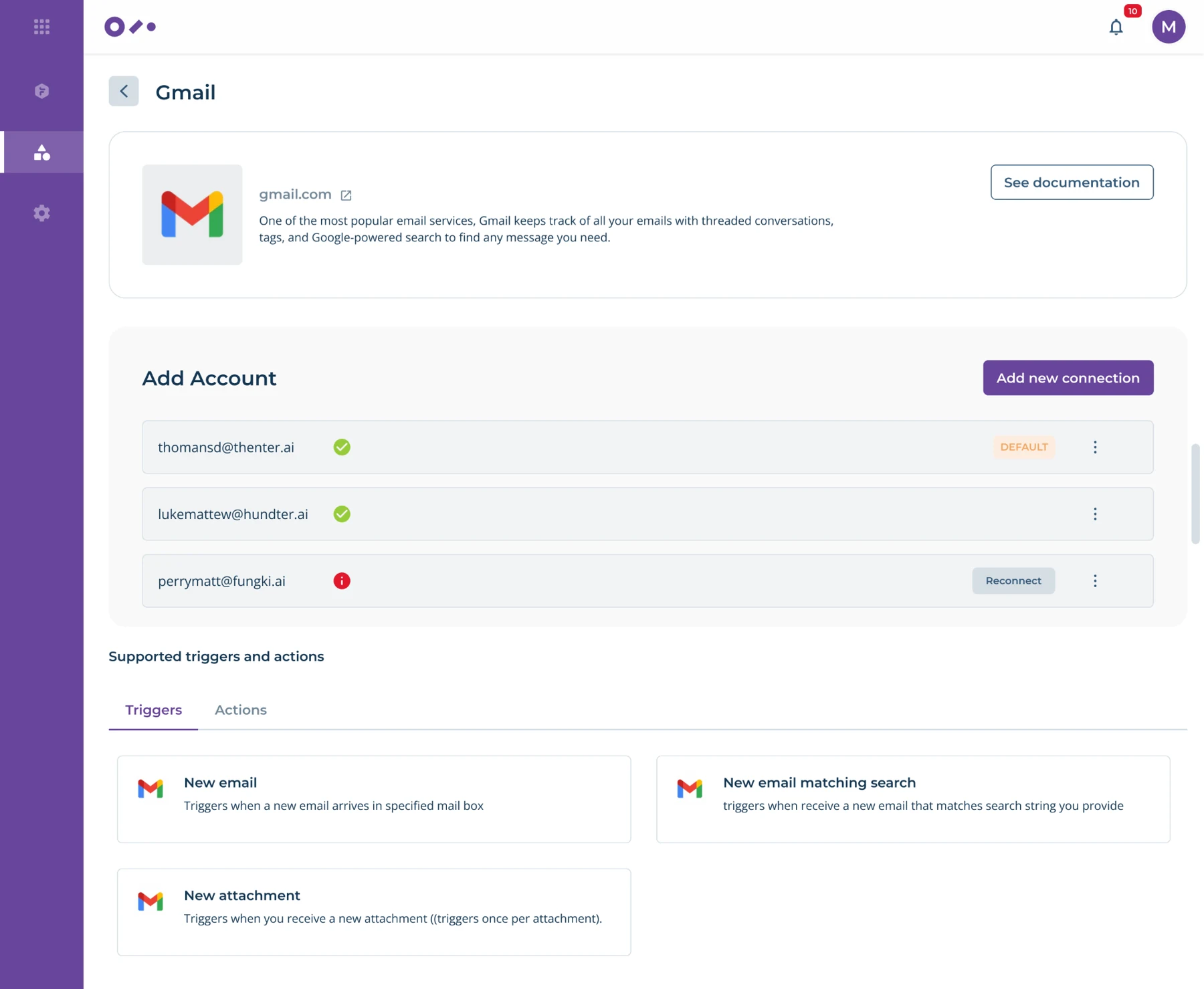
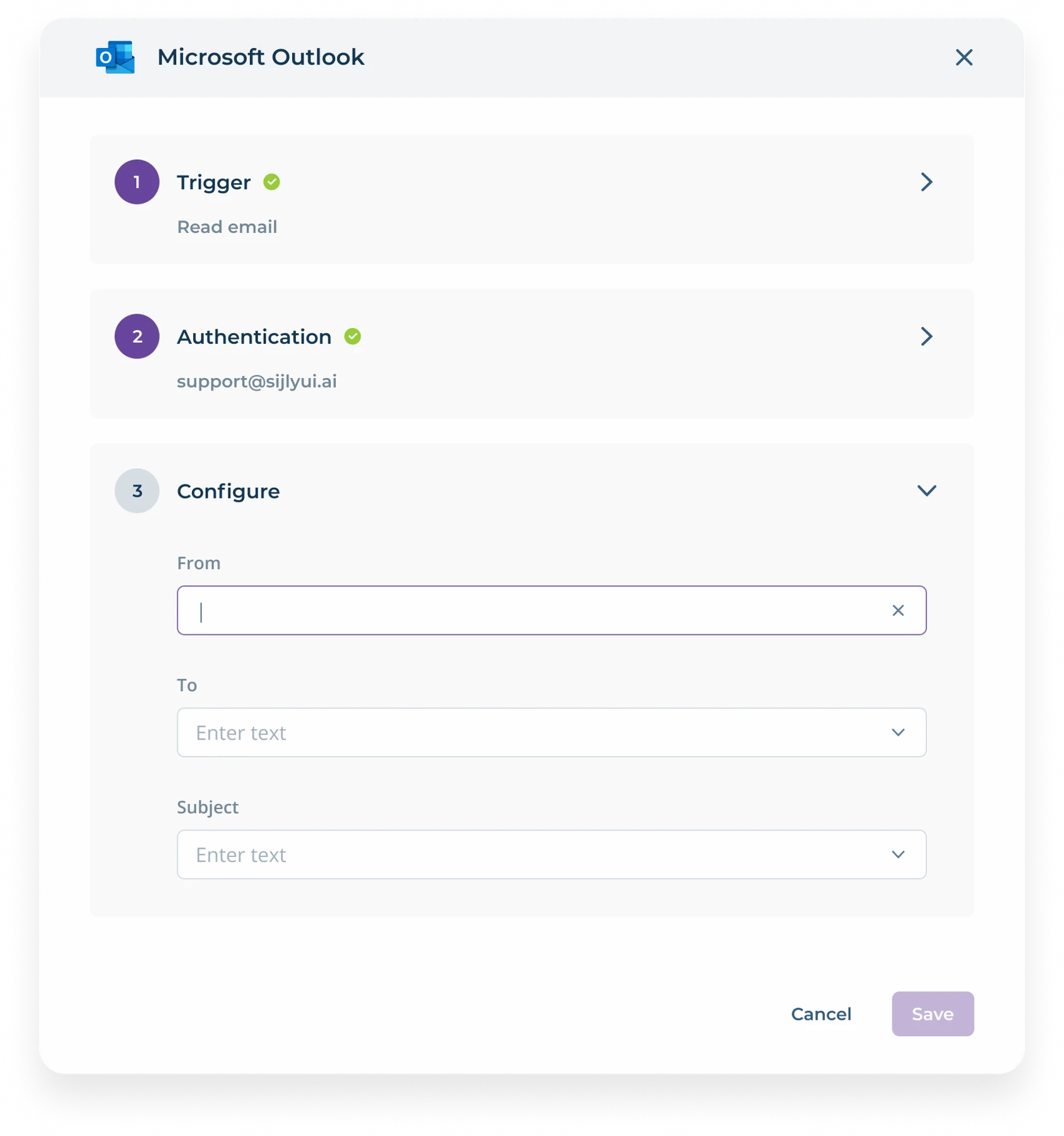
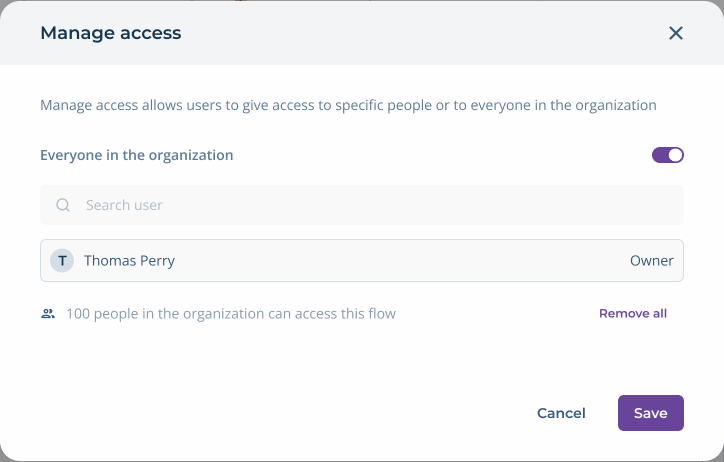
People can review what an app supports, configure an action and decide who can access a published flow. Each task keeps the necessary context visible without exposing the entire workspace.
The tradeoff
Reduce visual noise without hiding the logic.
Configuration can appear when a step is selected. Branch labels, sequence and review boundaries need to remain visible because they explain how the automation behaves.
Beyond the canvas
A workflow product is a connected system.
Building the flow also depends on discovering apps, managing connections and understanding how published automations perform.
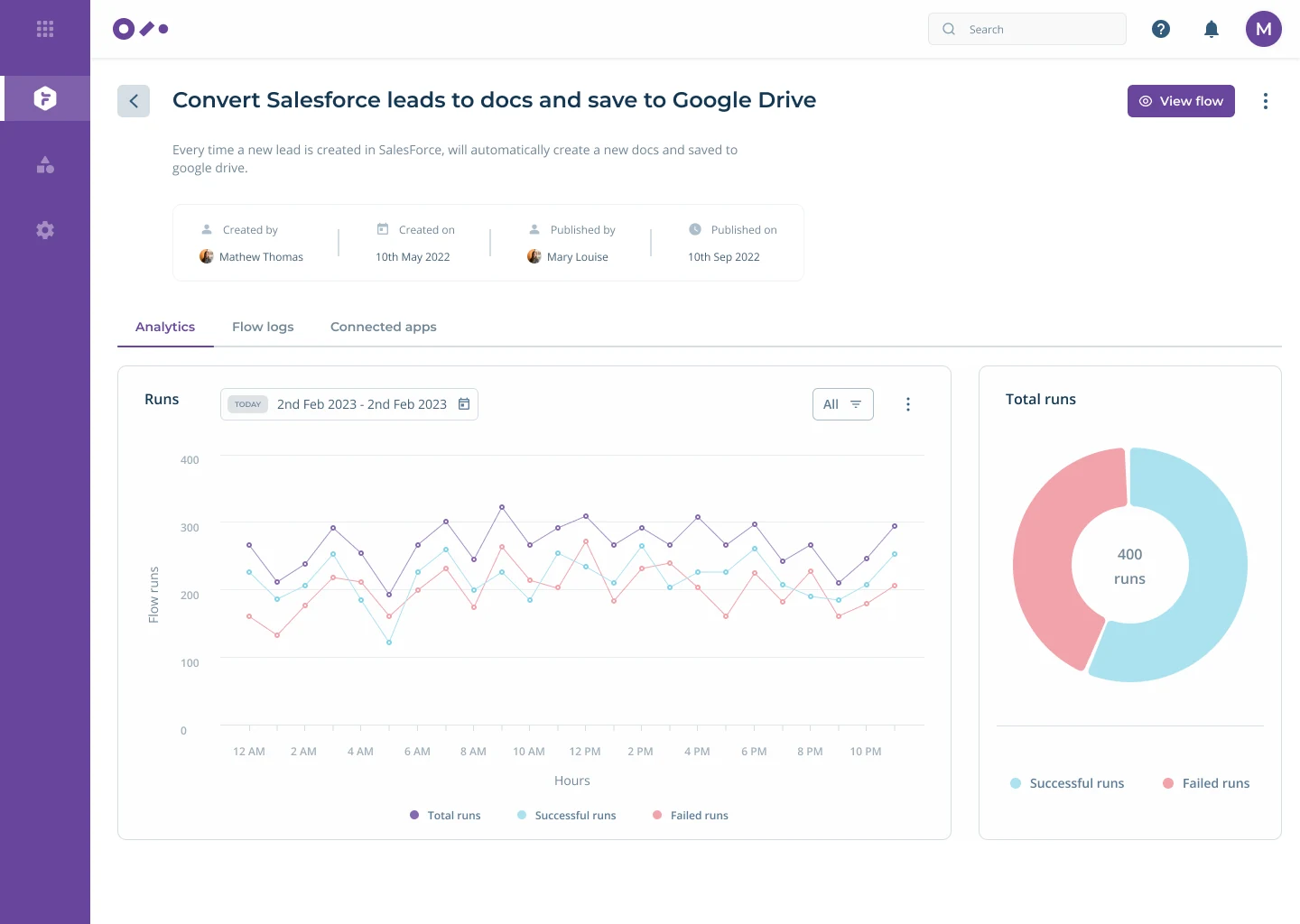
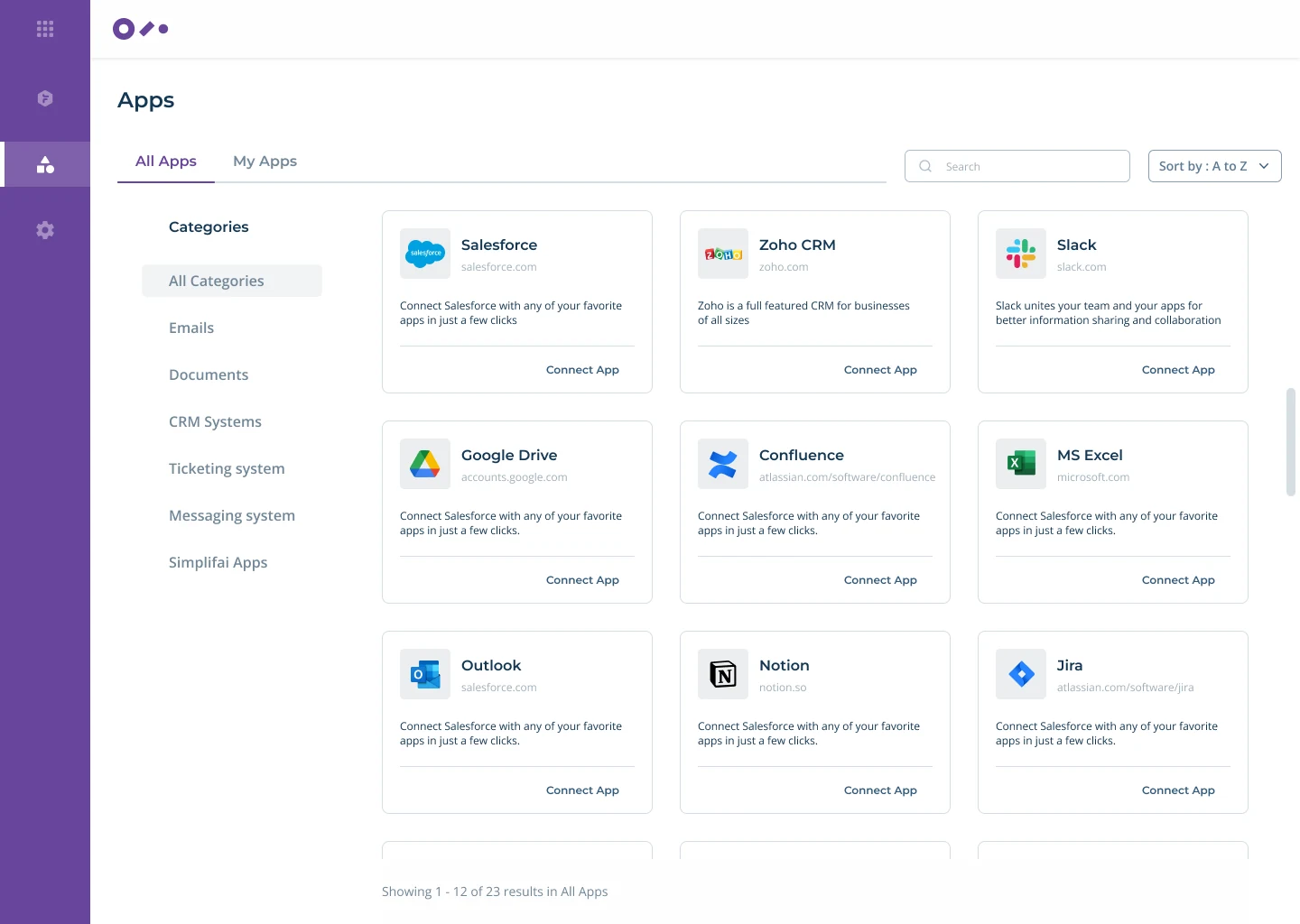
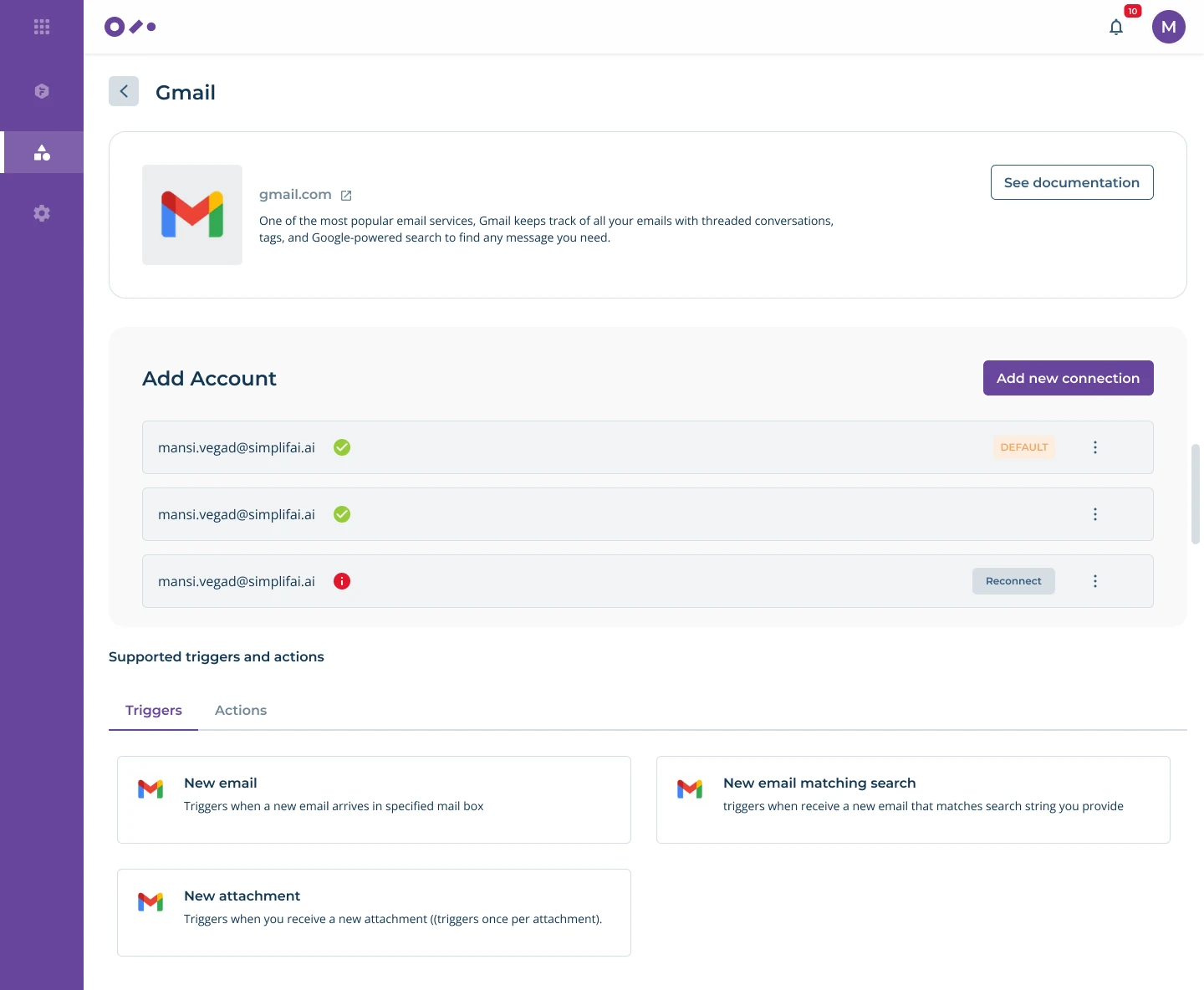
Every product image in this case study is exported from my original Figma file. The interface inside each image is unchanged.
Business impact
Connect the design decision to a measurable business result.
Help teams build and review automation with less rework, while making exceptions easier to diagnose before a flow reaches production.
Fewer avoidable publishing errors and support escalations
Faster adoption of automation across new use cases
Measuring after release
Signals I would track with product, data and engineering.
These are success measures for post launch evaluation, not claimed results.
- Time to publish
- Median time from first node to a successfully published flow
- First pass success
- Share of flows published without a validation error
- Support demand
- Workflow related support cases per 100 active builders
- Adoption
- Active builders and published flows by team each month
ROI lens
Estimate the value of hours saved in setup and support, then compare it with the design and engineering investment.
Final reflection
Make the logic clear enough to question.
The work was not about simplifying every rule. It was about giving teams a visible path through automation, exceptions and human review.
More work
SPRINTO DESIGN LANGUAGE / V5
Design system
Variables ComponentsDocumentation
8 px rhythm
Variables ⋯
NameValue
◇ space.14
◇ space.28
◇ space.312
◇ space.416
◇ space.624
TYPOGRAPHYAa
Built to belong together.InterRegular · Semibold
Giving product teams a shared component foundation
Sprinto · Design System
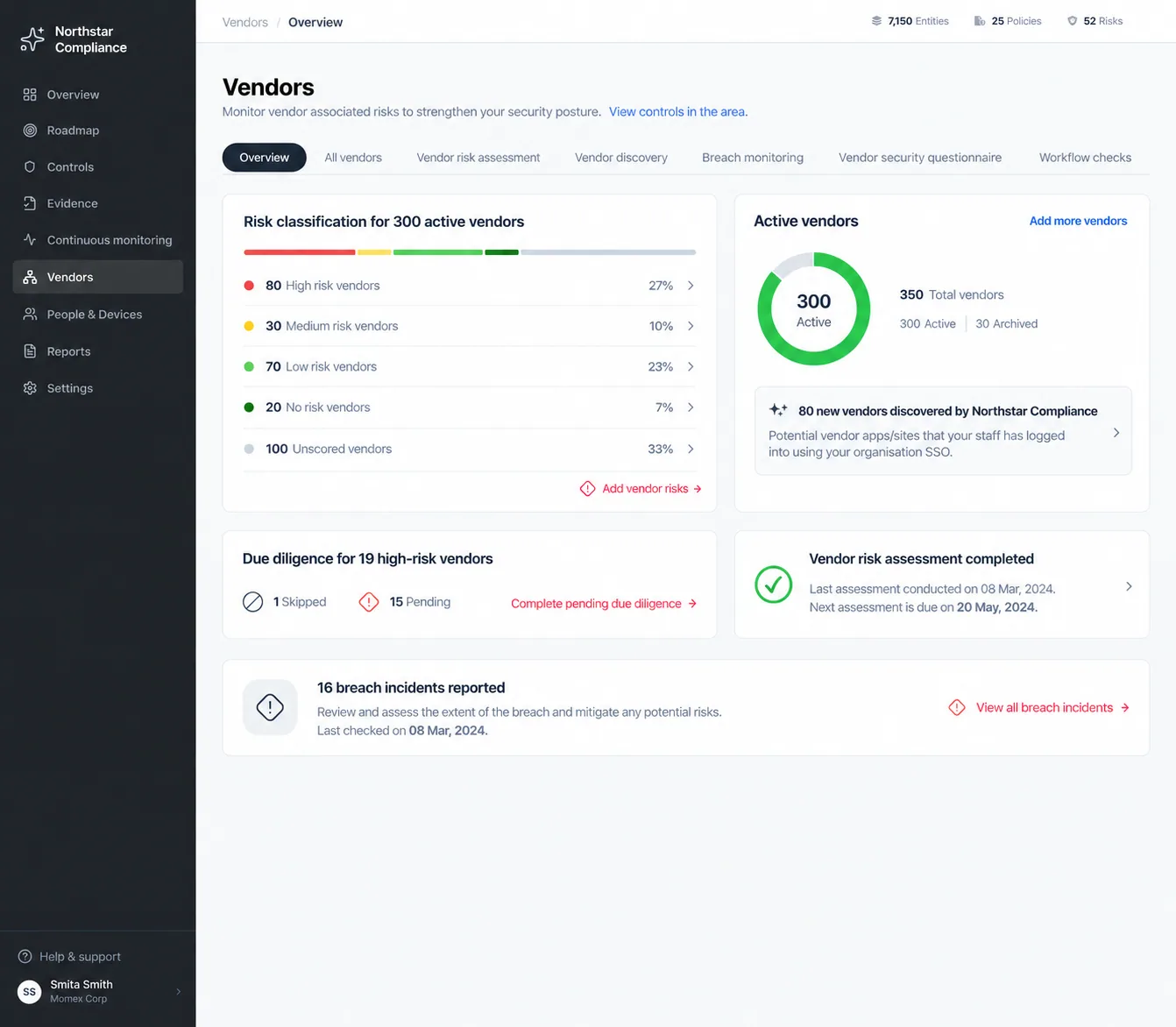
Making vendor risk easier to review and act on
Sprinto · Vendor Management
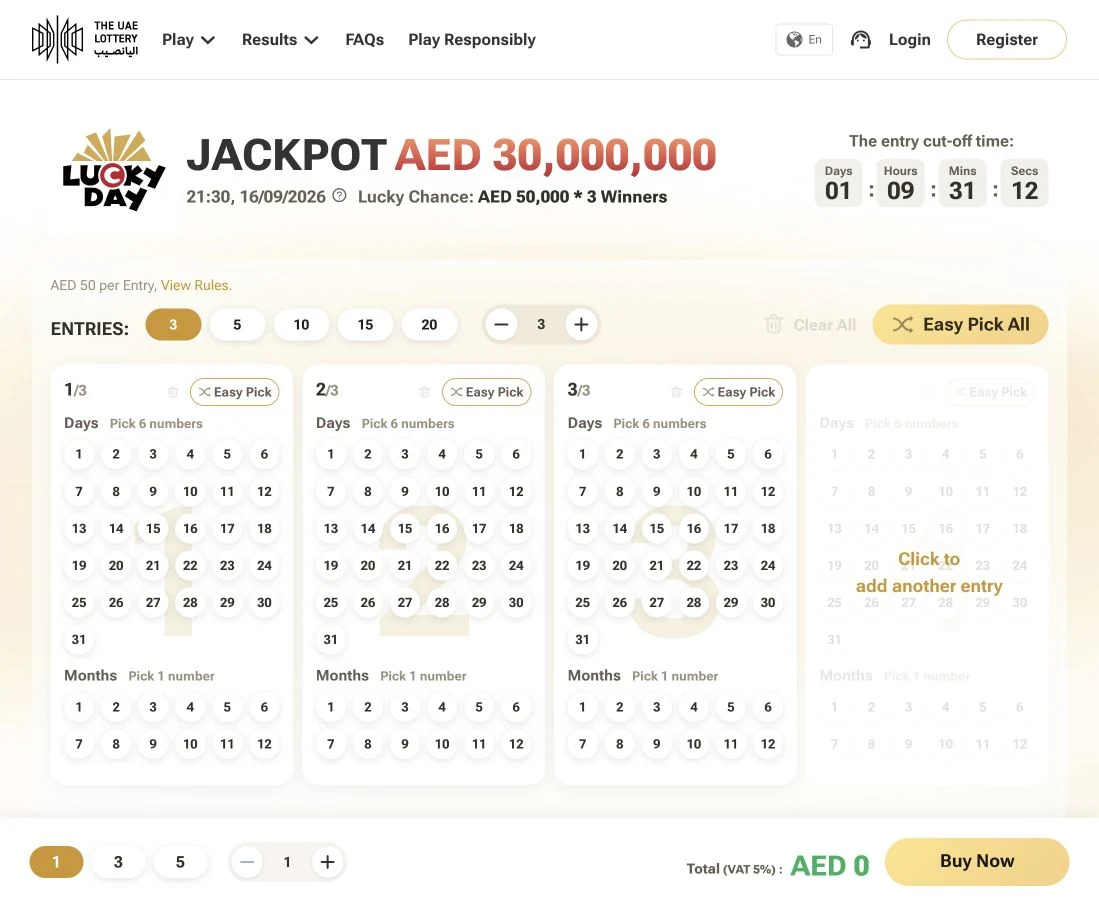

Connecting lottery journeys across web, app and retail
Momentum · The UAE Lottery